Decorise AI, Design Your Space
- 4.2
- Rating
- 10.00K
- Installs
- Free
- Price

 Analysis by App-foxy
I approached Decorise AI as something a household might open together rather than as a professional design suite. That distinction matters. A person planning a bedroom refresh, a couple discussing a new living-room style, or someone trying to make a neglected balcony feel more inviting can all use an AI visualizer differently. In my experience, the app is most useful when the goal is to turn a vague idea into a visual starting point quickly, not when the goal is to produce a final construction plan.
It belongs to the House & Home category and comes from Bilge Bulut Mobile. Its central appeal is simple: it helps transform interior, exterior, and garden ideas into visual concepts without requiring advanced design knowledge. The app is free to install, although it includes optional in-app purchases ranging from $4.99 to $39.99 per item. That makes it easy to try, but I would still treat the paid options as a decision to make only after seeing whether its style of AI output fits the way you plan to work.
How Decorise AI Works in a Real Household
I find Decorise AI most useful when a household needs a shared visual starting point, rather than another round of abstract debate about what a room should feel like. In this section, I’ll focus on how to turn an initial idea into a practical conversation: decide what you want to change, then judge the concept for atmosphere before treating it as a plan. That distinction makes the next step clearer: preparing for a first session that stays focused and manageable.
You May Also Like

 AccuWeather: Weather Radar
AccuWeather Review: A Quick, Clear Forecast for Everyday Decisions
For everyday plans, the best forecast is the one you can understand quickly. AccuWeather makes rain timing, radar, and local conditions easy to act on, with a few trade-offs.

 Hill Climb Racing
Why Hill Climb Racing Still Turns Crashes Into One More Run
A tiny car, a bumpy hill and one more upgrade: Hill Climb Racing keeps resurfacing because its simple chaos makes every near-miss feel personal.

 AliExpress - Shopping App
AliExpress Makes Global Shopping Feel Personal, but Shoppers Bear the Risk
AliExpress turns a global marketplace into a pocket-sized discovery engine. Its reach is useful, its shopping loop compelling, and its trade-offs easy to miss.

 Lords Mobile: Kingdom Wars
Lords Mobile Is a Kingdom-Building Routine, Not a Quick Match
A case-by-case verdict on the building, battles, device demands, and social commitments that make Lords Mobile rewarding for some players and exhausting for others.

 PDF Scanner app - TapScanner
TapScanner Makes Paperwork Easier to Capture, Check, and Share
TapScanner makes scanning with a phone feel less like a rescue operation and more like a dependable step in getting work done. Its capture tools are useful, though not flawless.

 Block Blast!
 Shows How Much a Puzzle Game Can Leave Out
A quiet grid game shows why puzzle players increasingly value instant clarity, repeatable skill and low-pressure play—and where the genre still needs to catch up.
More From Our News Desk
View All News


A useful starting point for shared decisions
The most convincing use case is a shared household decision where everyone has a different mental picture. Imagine one person wants a calmer living room, another wants more storage, and a third person is mainly worried that the room will become too dark. A normal conversation can go in circles because words such as “modern,” “warm,” or “minimal” mean different things to different people. An AI-generated concept gives the discussion something visible to react to.
I would use it early in the process, before buying paint, furniture, lighting, or outdoor materials. Instead of asking whether a certain look sounds good, the household can compare a few directions and identify what actually appeals to everyone. The most valuable result may not be a perfect image. It may be discovering that the family likes the color palette from one idea, the furniture arrangement from another, and the garden atmosphere from a third.
This makes the app particularly approachable for people who do not know design terminology. You do not need to begin with a complete plan or understand the difference between every decorating style. You can start with a plain description of the mood you want and use the generated concept as a conversation tool. That is a more realistic expectation than treating the image as an exact preview of the finished room.
One practical evening workflow
A realistic household session might begin after dinner. Someone wants to improve a small bedroom but cannot decide between a brighter Scandinavian feel and a richer, darker style. One person can create a light concept, while another considers a more dramatic option. The group then looks for practical questions: Does the room still appear usable? Is there enough visual breathing space? Would the suggested furniture make sense for the room’s purpose?
I recommend writing down the parts that are genuinely useful instead of trying to remember every image. For example, you might keep the idea of pale walls, a low-profile bed, and warmer bedside lighting while rejecting the exact furniture shown. This separates inspiration from purchasing decisions. It also prevents a common mistake with AI design tools: assuming that an attractive render automatically understands your room’s real dimensions, doors, windows, outlets, or storage needs.
For a shared device, this workflow is easy to understand because the app can act as a visual discussion board. Still, I would avoid leaving a long session open while several people casually change the direction. Decide first whether you are exploring colors, furniture mood, outdoor planting atmosphere, or the overall character of a space. A narrow question usually produces more useful feedback than asking for everything at once.
Where the visual approach saves time
Traditional alternatives include browsing furniture shops, saving inspiration pictures, building a manual mood board, or hiring a designer for a more formal consultation. Those methods remain better in certain situations, but they can be slow when you are still unsure what you want. Decorise AI is strongest in that uncertain middle stage, when you need options before committing to a detailed plan.
It is also less intimidating than professional design software. A full design program may offer precise floor plans, object libraries, measurements, and material controls, but those tools often require patience and a learning curve. This app is better suited to quick visual exploration. The trade-off is control: convenience comes at the expense of the precision and repeatability expected from a technical planning tool.
Preparing the household before anyone starts
Because this is an AI design app rather than a shared project-management system, I would establish a simple household boundary before using it. Agree on which space is being explored, what must remain in the room, and whether the session is only for inspiration or is connected to an actual purchase. That small agreement prevents an attractive concept from quietly becoming an expensive expectation.
It also helps to nominate one person to keep the useful ideas together. If several household members use the same device, screenshots, notes, or a shared album can make the discussion easier later. I would not assume that the app itself provides family workspaces, approval steps, or separate household profiles. The safest approach is to treat coordination as something the users organize around the app, not something to expect the app to manage for them.
Account and device boundaries
Shared-device use deserves a little care. Before allowing another person to explore, check which account is active on the device and who is responsible for any optional purchase. Children or guests may not understand that an attractive result can lead to a paid item, so I would keep purchase decisions with the adult who owns the device or manages the household budget.
This is not a criticism of the visual concept itself; it is simply a practical boundary for any app that offers optional purchases. A free starting point is helpful, but “free to install” does not mean every part of the experience is necessarily included without cost. If several people are experimenting, decide in advance whether the session will remain within the free experience or whether anyone is allowed to consider a paid option.
For a couple or roommates, another useful boundary is ownership of the final decision. A generated room idea can influence a group, but it should not silently override the person who lives with the result every day. In a shared home, I would use the app to gather preferences, then confirm the choice through a normal conversation about comfort, maintenance, budget, and daily routines.
Coordinating ideas without losing the practical details
AI imagery can make a room appear more coherent than it would be in real life. I therefore suggest dividing the review into three passes. First, judge the atmosphere: colors, mood, and general style. Second, question the function: movement, storage, seating, lighting, and cleaning. Third, check reality: the existing room, the available budget, and the work needed to achieve the look.
This three-pass method is one of the best ways to avoid overvaluing a beautiful image. A concept might show a perfectly calm bedroom, but the real household may need space for laundry, toys, exercise equipment, or a desk. Another design may look excellent for a large garden while being unsuitable for a narrow outdoor area. Use the app to expose preferences, then use ordinary observation to test whether those preferences belong in the actual space.
For coordination, I would also give each household member a specific question. One person can focus on color, another on storage, and another on how easy the proposed style would be to maintain. This turns a vague group opinion into useful feedback. It is especially helpful when one person enjoys decoration while another is more concerned with practicality.
Interior, exterior, and garden ideas need different scrutiny
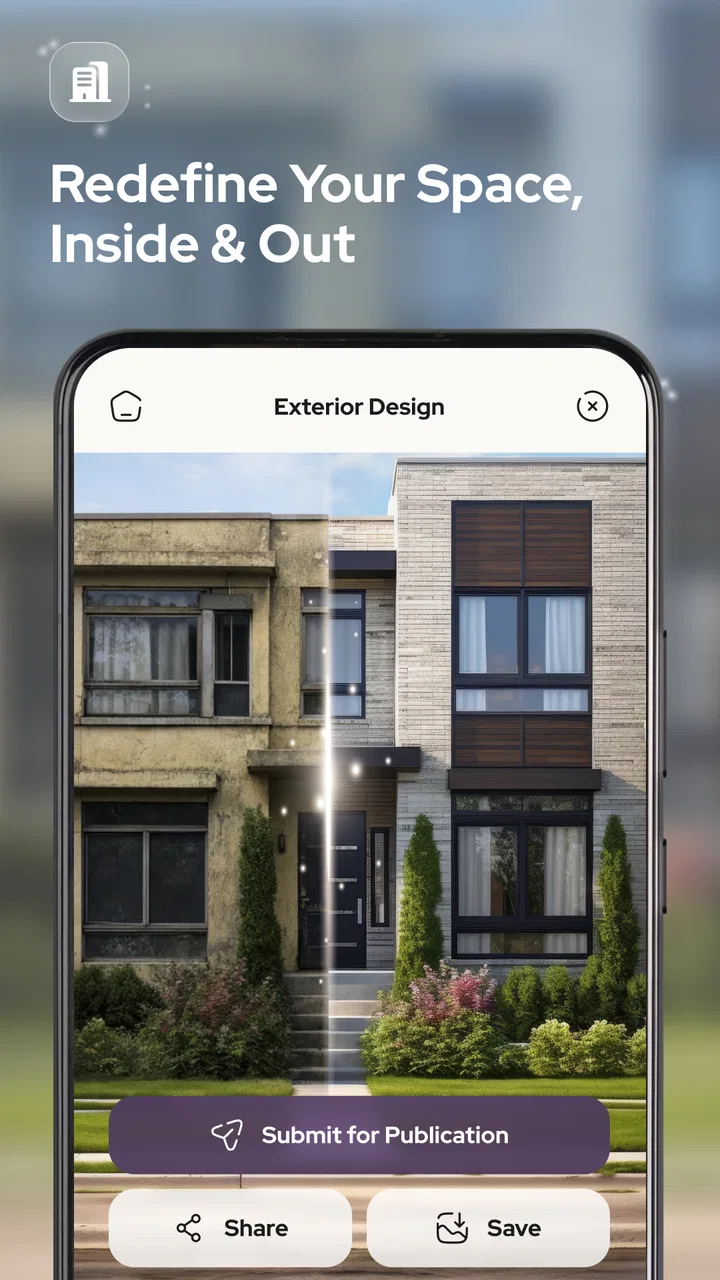
The app covers more than indoor rooms, which broadens its usefulness. Interior concepts are usually judged by comfort and function. Exterior concepts invite questions about materials, weather, entrances, and the relationship between the building and its surroundings. Garden ideas add maintenance, sunlight, drainage, seasonal change, and plant suitability to the discussion.
That difference is important because a convincing garden image can encourage unrealistic expectations. I would treat outdoor results as mood references rather than planting instructions. Before acting on one, check local growing conditions, available sunlight, water needs, and the amount of maintenance the household can honestly handle. The same principle applies to exterior finishes: an image can suggest a direction, but it does not replace advice about suitable materials or local requirements.
A non-obvious advantage of exploring these areas together is that it can reveal a mismatch between the house and its surroundings. A very formal front exterior may clash with an informal garden, while a highly decorative interior may feel disconnected from a simple outdoor space. Looking at several parts of the property in one session can help the household choose a consistent mood instead of decorating each area in isolation.
What I would expect from the current app version
The current version is 1.4, and the app supports devices running Android 7.0 or later. That broad compatibility makes it practical for households that share an older phone or tablet rather than always using the newest device. The experience will still depend on the device and on the complexity of the visual work, so I would keep expectations sensible when using older hardware.
The app has an average rating of 4.2 from around forty ratings and has passed ten thousand installs. Those figures suggest that it has attracted an early audience, but they are not a substitute for deciding whether its quick visual approach suits your needs. I see them as a modest sign of interest, not as proof that it will behave identically for every room, device, or decorating style.
Age context and trust in the household
Its content rating is Everyone, which makes the subject matter broadly suitable for a household setting. That does not mean every generated design should be accepted without discussion. Younger users may enjoy imagining colorful bedrooms, play areas, or gardens, but an adult should still separate creative exploration from real renovation choices and spending decisions.
The trust issue here is less about the decorating theme and more about how much authority people give an AI image. A child may see a polished concept and assume that the room can be recreated exactly. An adult may make the opposite mistake and dismiss a useful idea because the image is not technically precise. I would explain that the app is a sketching partner: it helps people imagine possibilities, while humans remain responsible for measurements, safety, costs, and suitability.
Privacy also deserves ordinary caution whenever a household shares pictures or descriptions of a home with an app. I would avoid including unnecessary personal details in prompts and would think carefully before showing identifying information in room images. The best household habit is to share only what is needed to explore the design question, especially when several people use the same device.
When another option is the better choice
I would not choose this app as the main tool for a renovation that depends on exact dimensions, structural changes, electrical planning, or contractor-ready documentation. A floor-plan application is better when walls, doors, circulation, and measurements must be accurate. A professional designer is the better choice when the project is complex, expensive, or difficult to reverse.
I would also look elsewhere if my main goal were shopping. Decorise AI is oriented toward visual ideas, not toward replacing a furniture catalog or a materials comparison service. A retailer’s planning tool may be more useful when I already know the exact products I want to place. Likewise, a manual mood board can be better when I need precise references for a contractor or when I want to control every image and material myself.
There is another important trade-off for people who dislike AI-generated interpretations. The app may help someone who feels blocked by a blank page, but it may frustrate a designer who wants exact control over every object. In that case, the speed that makes it appealing becomes a limitation. I would use it only if I were comfortable treating the results as suggestions rather than instructions.
Managing the free starting point and optional spending
The free price makes trying the app straightforward, but the optional purchases mean a shared household should discuss spending before experimenting. I would not begin by assuming that every useful workflow requires payment, and I would not buy an item simply because a generated image looks persuasive. First decide whether the output is helping with a real choice.
A sensible test is to choose one contained project, such as the mood for a small room or the general feel of a patio. Use the free experience to see whether the results help the household communicate. If the app reduces confusion and produces ideas that everyone can work with, a paid option may be easier to evaluate rationally. If the images remain too generic or impractical, spending more will not solve the underlying mismatch.
This approach also protects against a subtle household problem: one person becomes enthusiastic about the possibilities while everyone else is still uncertain. Keep the purchase decision separate from the creative excitement. The app can make an idea feel close to reality even when the real work has not begun.
My household verdict
I like Decorise AI most as a low-pressure way to get a household talking about space. It is approachable for people who do not use professional design software, and its coverage of interiors, exteriors, and gardens gives a family or group more room to explore than a tool limited to one type of room. The strongest benefit is not that it designs a finished home for me. It is that it helps turn unclear preferences into something visible and discussable.
My advice is to use it with a clear question, a shared understanding of the budget, and a habit of checking every attractive idea against real measurements and daily life. Keep the account and purchase responsibility with the appropriate adult, especially on a shared device. For younger users, frame the experience as creative planning rather than a promise that the pictured result can be built exactly.
My bottom line: use Decorise AI for inspiration and household coordination, not as a substitute for accurate planning. If you want quick concepts for a bedroom, living area, exterior mood, or garden atmosphere, it is worth trying because the free entry point keeps the risk low. If you need technical drawings, exact product placement, or professional renovation guidance, choose a more specialized alternative. For the right stage of a project, though, this app can make the first conversation about your home much easier.
FAQs for Decorise AI, Design Your Space
01What is Decorise AI, Design Your Space, and how does it work?
Decorise AI, Design Your Space is an interior-design app that uses artificial intelligence to help you visualize room makeovers. After adding a photo of a room, you can generally select a preferred design style, such as modern, minimalist, classic, or Scandinavian. The app then creates redesigned versions of the space, giving you ideas for furniture, colors, layouts, and decoration before making real changes.
02Can Decorise AI redesign any room or type of interior?
The app is intended for a wide range of spaces, including bedrooms, living rooms, kitchens, offices, dining areas, and other interiors. Results can vary depending on the quality, lighting, and angle of the uploaded image. Clear photos with most of the room visible usually produce more useful suggestions, while heavily cluttered, dark, or partially cropped images may lead to less accurate designs.
03Is Decorise AI, Design Your Space free to use?
Decorise AI may offer free access to some design generations or basic features, while additional styles, higher-quality results, faster processing, or unlimited use may require in-app purchases or a subscription. The exact pricing and available trial options can change over time, so users should carefully review the app store listing and subscription screen before confirming any payment.
04Can I save or share the room designs created in Decorise AI?
In most cases, AI-generated room concepts can be saved to your device or shared through common apps such as messaging services and social networks. This makes it convenient to compare different styles, send ideas to an interior designer, or show possible renovations to family members. Export quality and available sharing options may depend on your device and the version of the app installed.
05Does Decorise AI provide exact furniture products and renovation instructions?
Decorise AI is best treated as a visualization and inspiration tool rather than a complete renovation planner. Its designs can suggest general furniture arrangements, materials, colors, and decorative styles, but generated objects may not correspond to real products or fit your room precisely. Before buying anything or starting construction, verify measurements, dimensions, safety requirements, and product availability independently.
Pros
- Generates room concepts quickly from photos or selected design styles.
- Offers varied decor inspiration for different rooms and aesthetics.
- Useful for visualizing color palettes
- furniture
- and layout possibilities.
- Simple interface makes experimenting with designs accessible to beginners.
- Can help users communicate renovation ideas to designers or contractors.
Cons
- AI results may distort furniture
- walls
- windows
- or other room details.
- Some features or design styles may require a subscription or paid credits.
- Generated designs may overlook practical measurements and construction limits.
- Results can feel repetitive when prompts or source photos are similar.
- Uploading interior photos may raise privacy concerns for some users.

Decorise AI, Design Your Space
Gallery